
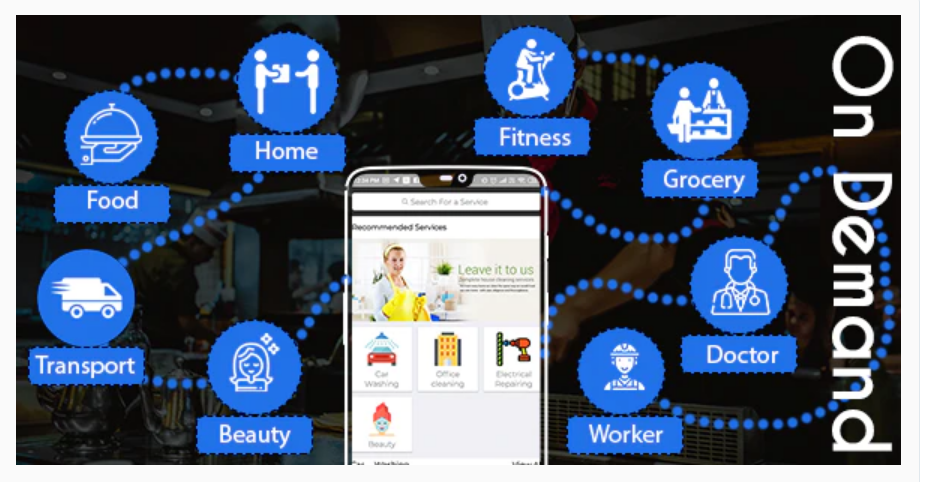
Service Providers Mobile App – An App for Business Directory WordPress Theme is an ultimate solution for service providers it has a clean and contemporary design and awesome features. The best thing about this app is its excellent, semantic and validated design and features. From finding a provider to book an appointment, It covers every single detail which is required for a professional service provider. It is well documented and on top of all, it is backed up by excellent customer support..
Services Providers :-
Service provider registration / login
Various types of jobs(services): Provider can add various types of jobs(services). Also provider can update and delete any jobs(services).
Pending jobs : provider can see all requested jobs(services) by user in this section. and also able to accept / cancel invitations.
Accepted jobs : provider can see accepted jobs(services) in this section.
Completed jobs: provider can see all their completed jobs(services) unders this section and check further history.
Declined jobs: provider can see cancel jobs(services) list under this section.
Settings section : Provider can add bank details. Provider can check earnings with listed history.
Profile information : Provider can manage profile information and also add their address and other about us concept information.
Change Password : Provider can change their password any time.
Notifications: Provider can see all notifications about jobs services.
Services Users :-
User registration / login
Home : User can see all jobs(services) and can search all jobs(services) from main screen. Also can request to particular jobs(services).
Book jobs(services): User can book any jobs(services) from services provider lists according to specific services of category.
Pending jobs(services): User can see all pending jobs(services) in this section and update it.
Accepted jobs(services): User can see all accepted jobs(services) in this section and user can make a payment. Also user can cancle request if payment is not made.
Completed jobs(services): user can see all their completed jobs(services) unders this section and check further history.
Declined requests: User can see cancel jobs(services) list under this section.
Settings section : User can set profile details and change password.
Profile information : User can manage profile information and also add their address and other details information.
Change Password : User can change their password any time.
Notifications: User can see all notifications about jobs(services).
Manage Service Providers [Add/Update/Delete]
Manage Users [Add/Update/Delete]
View jobs(services)
View pending, accepted and completed jobs(services)
Manage user payment.

Lalita Park, East Delhi 110092
Email : info@peytonsoft.com
Phone : 0120 - 310 9643
Sector 65 (International)
Sector 6 (Domestic),
Noida U.P. 201301
Email : info@peytonsoft.com
Phone : 0120 - 310 9643
PATNA, REWA
BANGALORE
Email : info@peytonsoft.com
Phone : 0120 - 0120 - 310 9643